Why can't I see the products that I have pushed to my store in Shopify?
Your products are not visible on your Shopify store because they are likely selected as Draft status, hidden from the "Online Store" sales channel, when you push product to the store from Fiidom AI Dropship.
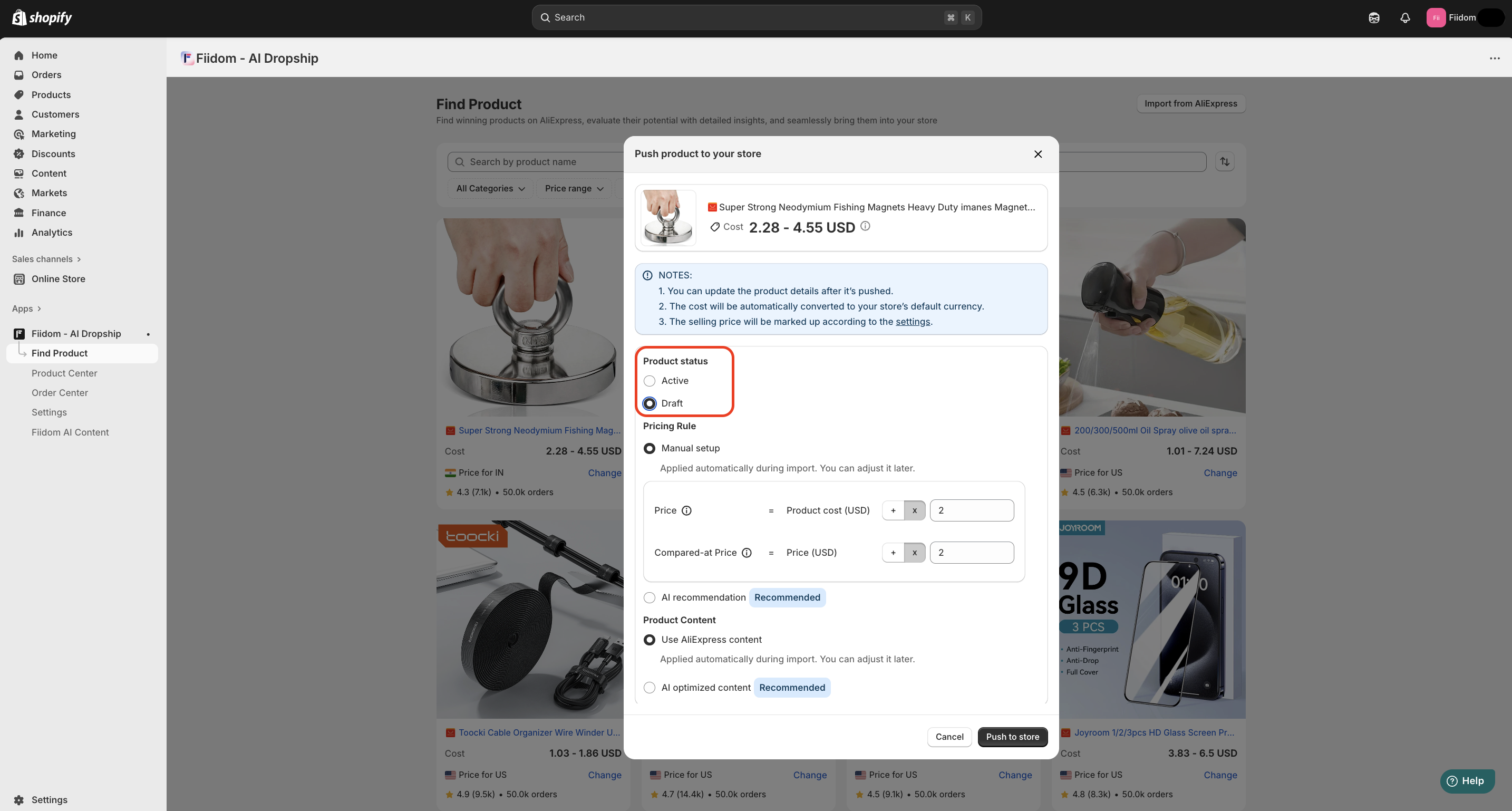
Here's how you can fix this:
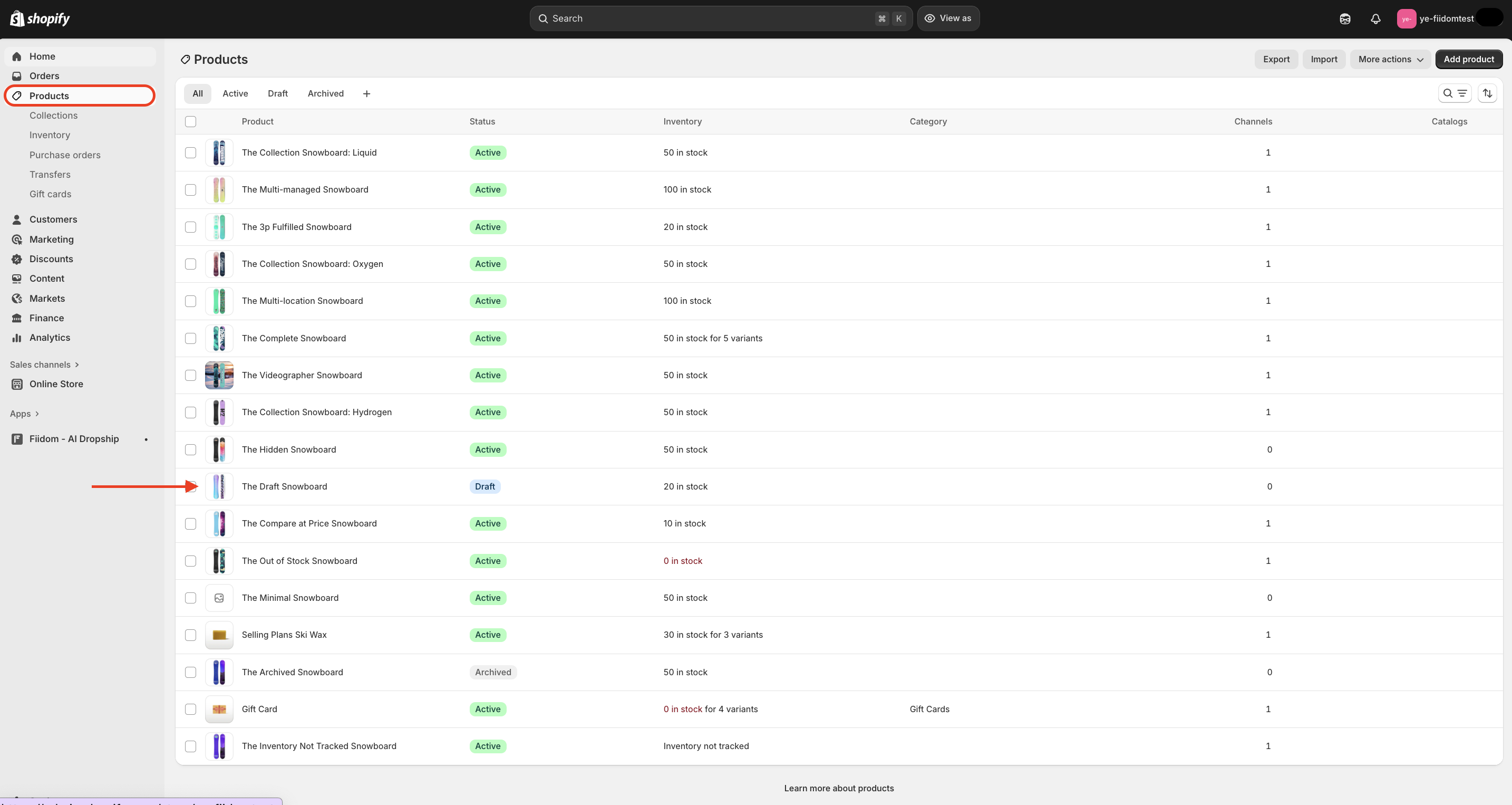
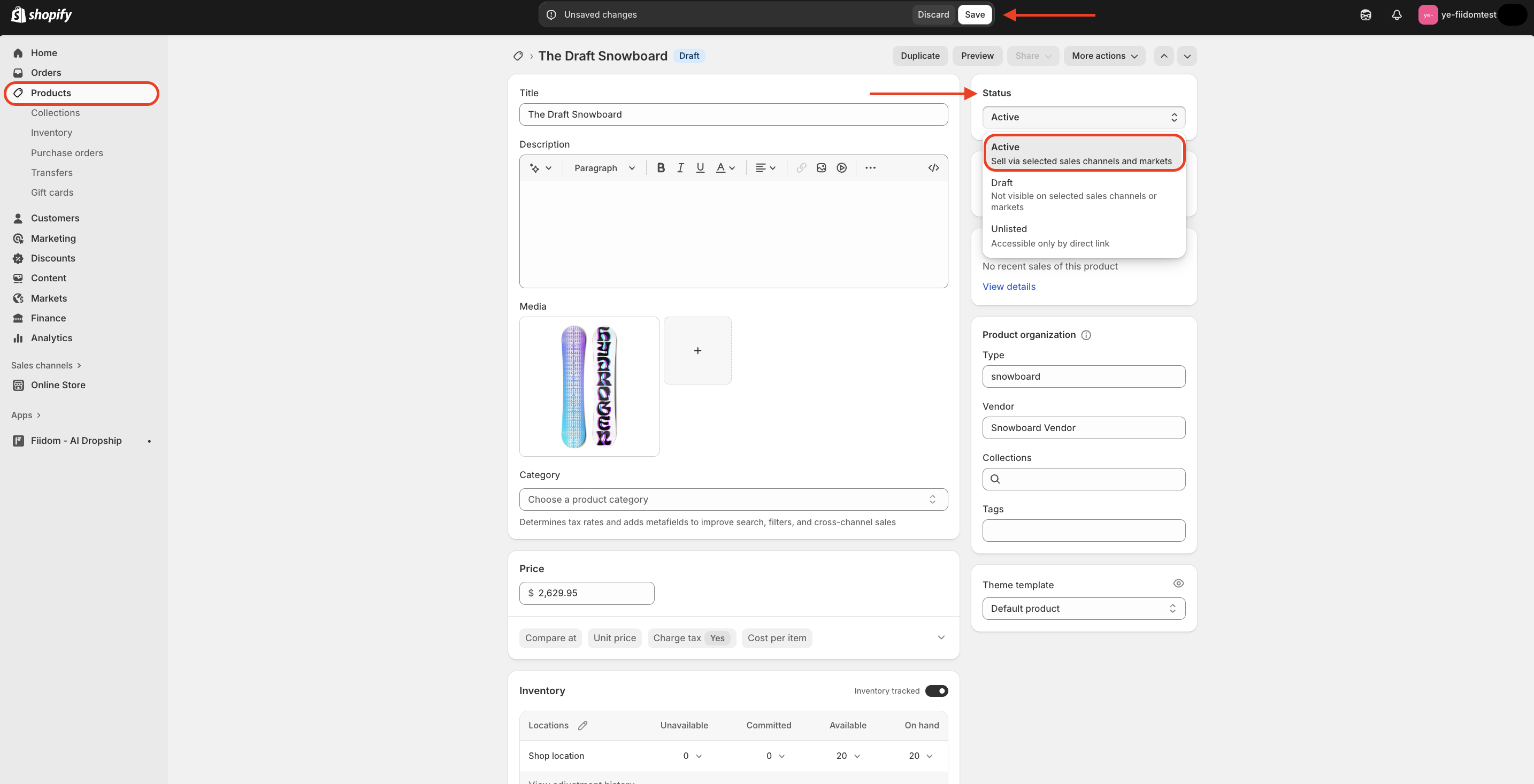
Go to your Shopify admin > Product, and click on the product you can't see. In the right-hand corner, check the "Product status" > If it's set to "Draft," click the dropdown menu to reselect to "Active" > Click Save to apply any changes.
Additionally, confirm that the product is included in any collections that are being displayed on your site.
Should you need any further information, please do not hesitate to contact us directly at [email protected]